Agent-Native
Workspace
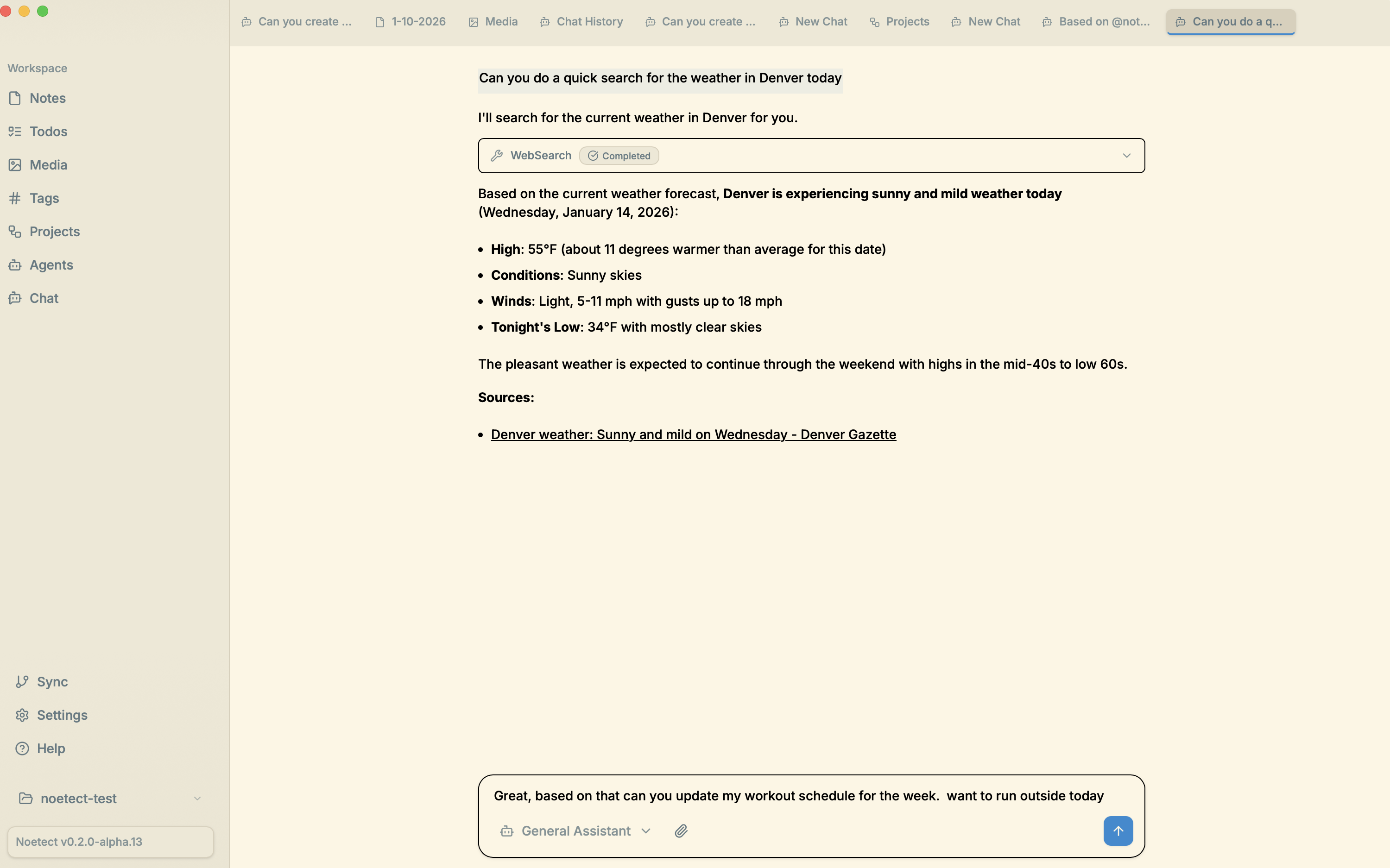
A workspace for notes, tasks, and agent chat.
Capabilities
What agents can do for you
Notes, tasks, projects, and chat — all connected through agents that actually help.
Research for you
Agents dig through the web, summarize findings, and bring back what matters — so you can focus on the thinking.
Web search · Summarization · Source tracking
Review your notes
Surface connections across your notes, find gaps in your thinking, and get fresh perspectives on old ideas.
Plan your day or week
Turn scattered tasks into a focused plan. Agents help you prioritize what actually matters.
Reflect on the past week
Review what you accomplished, what slipped, and what to carry forward. Build the habit of reflection without the overhead of manual journaling.
Adaptive
A workspace that grows with you
Skills that improve. Agents that maintain. A system that adapts.
Skills
Agents learn from your feedback and improve over time. Native support for creating and improving skills that remember how you like things done.
Self-maintaining
Have agents maintain your workspace on your behalf — organizing files, updating links, keeping things tidy.
Custom UI
Agents can create custom interfaces tailored to your specific workflows.
Philosophy
Files over apps.
Everything is markdown. No proprietary formats, no lock-in. Your notes belong to you.
Plain text
Everything is markdown. Open your files in any editor, sync with any tool, own your data forever.
Built-in sync
Connect to a GitHub repo and natively push, pull, and sync changes. Your notes, versioned.
Agent-native
Markdown is the lingua franca of AI. Agents can read, write, and reason about your notes naturally.
Features
Power user friendly
Simple enough to jump in. Deep enough to stay.
[[Wiki links]]
Link between notes with wiki links. See what links back. Your knowledge stays connected.
@-references
Reference any file in chat with @mentions. Pull context into conversations instantly.
⌘K
Command palette for everything. Navigate, search, and act — all from the keyboard.
Getting Started
Quick start
Up and running in under a minute.
Install
Download Nomendex and drag it to your Applications folder.
Add your API key
Add your Claude API Key or OAuth Token:
claude setup-tokenOpen a folder
Point Nomendex at any folder with markdown files — or start fresh.
Your workspace, agent-ready
Download Nomendex for free. Open source. No account required.
Apple Silicon · macOS 13+